Mini-Map
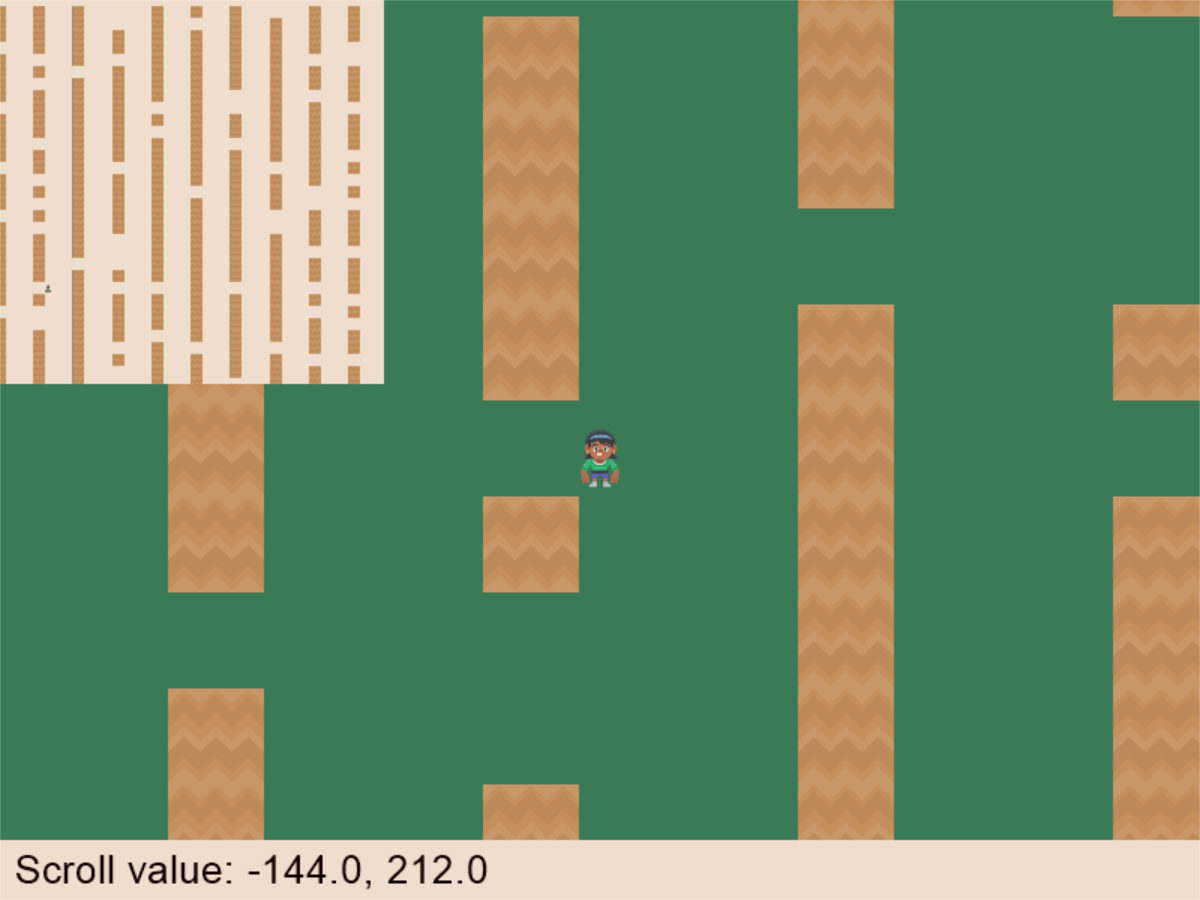
This example shows how to create a ‘mini-map’ using frame buffers.
minimap.py
  1"""
  2Work with a mini-map
  3
  4Artwork from https://kenney.nl
  5
  6If Python and Arcade are installed, this example can be run from the command line with:
  7python -m arcade.examples.minimap_texture
  8"""
  9
 10import random
 11from uuid import uuid4
 12
 13import arcade
 14
 15SPRITE_SCALING = 0.5
 16
 17WINDOW_WIDTH = 1280
 18WINDOW_HEIGHT = 720
 19WINDOW_TITLE = "Minimap Example"
 20
 21# How many pixels to keep as a minimum margin between the character
 22# and the edge of the screen.
 23VIEWPORT_MARGIN = 220
 24
 25# How fast the camera pans to the player. 1.0 is instant.
 26CAMERA_SPEED = 0.1
 27
 28# How fast the character moves
 29PLAYER_MOVEMENT_SPEED = 7
 30
 31MINIMAP_BACKGROUND_COLOR = arcade.color.ALMOND
 32MINIMAP_WIDTH = 256
 33MINIMAP_HEIGHT = 256
 34MAP_WIDTH = 2048
 35MAP_HEIGHT = 2048
 36
 37
 38class GameView(arcade.View):
 39    """ Main application class. """
 40
 41    def __init__(self):
 42        """
 43        Initializer
 44        """
 45        super().__init__()
 46
 47        # Sprite lists
 48        self.player_list = None
 49        self.wall_list = None
 50
 51        # Mini-map related
 52        # List of all our minimaps (there's just one)
 53        self.minimap_sprite_list = None
 54        # Texture and associated sprite to render our minimap to
 55        self.minimap_texture = None
 56        self.minimap_sprite = None
 57
 58        # Set up the player
 59        self.player_sprite = None
 60
 61        self.physics_engine = None
 62
 63        # Camera for sprites, and one for our GUI
 64        self.camera_sprites = arcade.camera.Camera2D()
 65        self.camera_gui = arcade.camera.Camera2D()
 66
 67    def setup(self):
 68        """ Set up the game and initialize the variables. """
 69
 70        # Sprite lists
 71        self.player_list = arcade.SpriteList()
 72        self.wall_list = arcade.SpriteList()
 73
 74        # Set up the player
 75        self.player_sprite = arcade.Sprite(
 76            ":resources:images/animated_characters/female_person/"
 77            "femalePerson_idle.png",
 78            scale=0.4,
 79        )
 80        self.player_sprite.center_x = 256
 81        self.player_sprite.center_y = 512
 82        self.player_list.append(self.player_sprite)
 83
 84        # -- Set up several columns of walls
 85        for x in range(0, MAP_WIDTH, 210):
 86            for y in range(0, MAP_HEIGHT, 64):
 87                # Randomly skip a box so the player can find a way through
 88                if random.randrange(5) > 0:
 89                    wall = arcade.Sprite(
 90                        ":resources:images/tiles/grassCenter.png",
 91                        scale=SPRITE_SCALING,
 92                    )
 93                    wall.center_x = x
 94                    wall.center_y = y
 95                    self.wall_list.append(wall)
 96
 97        self.physics_engine = arcade.PhysicsEngineSimple(self.player_sprite, self.wall_list)
 98
 99        # Set the background color
100        self.background_color = arcade.color.AMAZON
101
102        # Construct the minimap
103        size = (MINIMAP_WIDTH, MINIMAP_HEIGHT)
104        self.minimap_texture = arcade.Texture.create_empty(str(uuid4()), size)
105        self.minimap_sprite = arcade.Sprite(
106            self.minimap_texture,
107            center_x=MINIMAP_WIDTH / 2,
108            center_y=self.height - MINIMAP_HEIGHT / 2,
109        )
110
111        self.minimap_sprite_list = arcade.SpriteList()
112        self.minimap_sprite_list.append(self.minimap_sprite)
113
114    def update_minimap(self):
115        proj = 0, MAP_WIDTH, 0, MAP_HEIGHT
116        atlas = self.minimap_sprite_list.atlas
117        with atlas.render_into(self.minimap_texture, projection=proj) as fbo:
118            fbo.clear(color=MINIMAP_BACKGROUND_COLOR)
119            self.wall_list.draw()
120            arcade.draw_sprite(self.player_sprite)
121
122    def on_draw(self):
123        """
124        Render the screen.
125        """
126
127        # This command has to happen before we start drawing
128        self.clear()
129
130        # Select the camera we'll use to draw all our sprites
131        with self.camera_sprites.activate():
132            # Draw all the sprites.
133            self.wall_list.draw()
134            self.player_list.draw()
135
136        # Select the (unscrolled) camera for our GUI
137        with self.camera_gui.activate():
138            # Update the minimap
139            self.update_minimap()
140
141            # Draw the minimap
142            self.minimap_sprite_list.draw()
143
144            # Draw the GUI
145            arcade.draw_rect_filled(
146                arcade.rect.XYWH(self.width // 2, 20, self.width, 40),
147                color=arcade.color.ALMOND,
148            )
149
150            text = (
151                f"Scroll value: "
152                f"{self.camera_sprites.position[0]:4.1f}, "
153                f"{self.camera_sprites.position[1]:4.1f}"
154            )
155            arcade.draw_text(text, 10, 10, arcade.color.BLACK_BEAN, 20)
156
157    def on_key_press(self, key, modifiers):
158        """Called whenever a key is pressed. """
159
160        if key == arcade.key.UP:
161            self.player_sprite.change_y = PLAYER_MOVEMENT_SPEED
162        elif key == arcade.key.DOWN:
163            self.player_sprite.change_y = -PLAYER_MOVEMENT_SPEED
164        elif key == arcade.key.LEFT:
165            self.player_sprite.change_x = -PLAYER_MOVEMENT_SPEED
166        elif key == arcade.key.RIGHT:
167            self.player_sprite.change_x = PLAYER_MOVEMENT_SPEED
168
169    def on_key_release(self, key, modifiers):
170        """Called when the user releases a key. """
171
172        if key == arcade.key.UP or key == arcade.key.DOWN:
173            self.player_sprite.change_y = 0
174        elif key == arcade.key.LEFT or key == arcade.key.RIGHT:
175            self.player_sprite.change_x = 0
176
177    def on_update(self, delta_time):
178        """ Movement and game logic """
179
180        # Call update on all sprites (The sprites don't do much in this
181        # example though.)
182        self.physics_engine.update()
183
184        # Scroll the screen to the player
185        self.scroll_to_player()
186
187    def scroll_to_player(self):
188        """
189        Scroll the window to the player.
190        """
191
192        # Scroll to the proper location
193        position = (self.player_sprite.center_x, self.player_sprite.center_y)
194        self.camera_sprites.position = arcade.math.lerp_2d(
195            self.camera_sprites.position,
196            position,
197            CAMERA_SPEED,
198        )
199
200    def on_resize(self, width: int, height: int):
201        """
202        Resize window
203        Handle the user grabbing the edge and resizing the window.
204        """
205        super().on_resize(width, height)
206        self.camera_sprites.match_window()
207        self.camera_gui.match_window()
208
209
210def main():
211    """ Main function """
212    # Create a window class. This is what actually shows up on screen
213    window = arcade.Window(WINDOW_WIDTH, WINDOW_HEIGHT, WINDOW_TITLE, resizable=True)
214
215    # Create and setup the GameView
216    game = GameView()
217    game.setup()
218
219    # Show GameView on screen
220    window.show_view(game)
221
222    # Start the arcade game loop
223    arcade.run()
224
225
226if __name__ == "__main__":
227    main()