Step 1
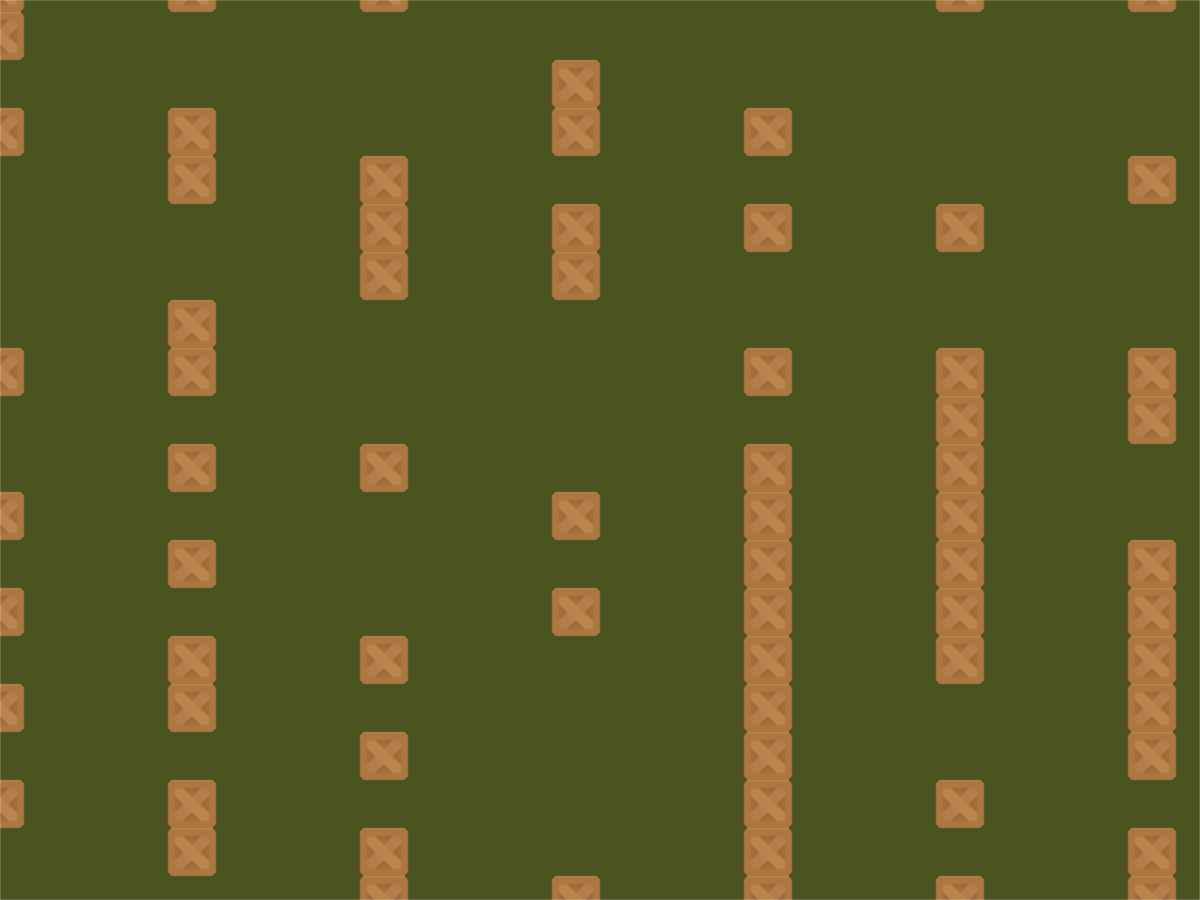
step_01.py
  1import random
  2
  3import arcade
  4from arcade.experimental import Shadertoy
  5
  6# Do the math to figure out our screen dimensions
  7SCREEN_WIDTH = 800
  8SCREEN_HEIGHT = 600
  9SCREEN_TITLE = "Ray-casting Demo"
 10
 11SPRITE_SCALING = 0.25
 12
 13# How fast the camera pans to the player. 1.0 is instant.
 14CAMERA_SPEED = 0.1
 15
 16PLAYER_MOVEMENT_SPEED = 7
 17BOMB_COUNT = 70
 18PLAYING_FIELD_WIDTH = 1600
 19PLAYING_FIELD_HEIGHT = 1600
 20
 21
 22class MyGame(arcade.Window):
 23
 24    def __init__(self, width, height, title):
 25        super().__init__(width, height, title)
 26
 27        # The shader toy and 'channels' we'll be using
 28        self.shadertoy = None
 29        self.channel0 = None
 30        self.channel1 = None
 31        self.load_shader()
 32
 33        # Sprites and sprite lists
 34        self.player_sprite = arcade.Sprite(
 35            ":resources:images/animated_characters/female_person/femalePerson_idle.png",
 36            scale=SPRITE_SCALING,
 37            center_x=256,
 38            center_y=512,
 39        )
 40        self.wall_list = arcade.SpriteList()
 41        self.player_list = arcade.SpriteList()
 42        self.bomb_list = arcade.SpriteList()
 43        self.physics_engine = None
 44
 45        self.generate_sprites()
 46        self.background_color = arcade.color.ARMY_GREEN
 47
 48    def load_shader(self):
 49        # Size of the window
 50        window_size = self.get_size()
 51
 52        # Create the shader toy, passing in a path for the shader source
 53        self.shadertoy = Shadertoy.create_from_file(window_size, "step_01.glsl")
 54
 55        # Create the channels 0 and 1 frame buffers.
 56        # Make the buffer the size of the window, with 4 channels (RGBA)
 57        self.channel0 = self.shadertoy.ctx.framebuffer(
 58            color_attachments=[self.shadertoy.ctx.texture(window_size, components=4)]
 59        )
 60        self.channel1 = self.shadertoy.ctx.framebuffer(
 61            color_attachments=[self.shadertoy.ctx.texture(window_size, components=4)]
 62        )
 63
 64        # Assign the frame buffers to the channels
 65        self.shadertoy.channel_0 = self.channel0.color_attachments[0]
 66        self.shadertoy.channel_1 = self.channel1.color_attachments[0]
 67
 68    def generate_sprites(self):
 69        # -- Set up several columns of walls
 70        for x in range(0, PLAYING_FIELD_WIDTH, 128):
 71            for y in range(0, PLAYING_FIELD_HEIGHT, int(128 * SPRITE_SCALING)):
 72                # Randomly skip a box so the player can find a way through
 73                if random.randrange(2) > 0:
 74                    wall = arcade.Sprite(":resources:images/tiles/boxCrate_double.png", SPRITE_SCALING)
 75                    wall.center_x = x
 76                    wall.center_y = y
 77                    self.wall_list.append(wall)
 78
 79        # -- Set some hidden bombs in the area
 80        for i in range(BOMB_COUNT):
 81            bomb = arcade.Sprite(":resources:images/tiles/bomb.png", 0.25)
 82            placed = False
 83            while not placed:
 84                bomb.center_x = random.randrange(PLAYING_FIELD_WIDTH)
 85                bomb.center_y = random.randrange(PLAYING_FIELD_HEIGHT)
 86                if not arcade.check_for_collision_with_list(bomb, self.wall_list):
 87                    placed = True
 88            self.bomb_list.append(bomb)
 89
 90        # Add player sprite to sprite list
 91        self.player_list.append(self.player_sprite)
 92
 93        # Physics engine, so we don't run into walls
 94        self.physics_engine = arcade.PhysicsEngineSimple(self.player_sprite, self.wall_list)
 95
 96    def on_draw(self):
 97        # Select the channel 0 frame buffer to draw on
 98        self.channel0.use()
 99        self.channel0.clear()
100        # Draw the walls
101        self.wall_list.draw()
102
103        # Select this window to draw on
104        self.use()
105        # Clear to background color
106        self.clear()
107        # Run the shader and render to the window
108        self.shadertoy.render()
109
110    def on_key_press(self, key, modifiers):
111        """Called whenever a key is pressed. """
112
113        if key == arcade.key.UP:
114            self.player_sprite.change_y = PLAYER_MOVEMENT_SPEED
115        elif key == arcade.key.DOWN:
116            self.player_sprite.change_y = -PLAYER_MOVEMENT_SPEED
117        elif key == arcade.key.LEFT:
118            self.player_sprite.change_x = -PLAYER_MOVEMENT_SPEED
119        elif key == arcade.key.RIGHT:
120            self.player_sprite.change_x = PLAYER_MOVEMENT_SPEED
121
122    def on_key_release(self, key, modifiers):
123        """Called when the user releases a key. """
124
125        if key == arcade.key.UP or key == arcade.key.DOWN:
126            self.player_sprite.change_y = 0
127        elif key == arcade.key.LEFT or key == arcade.key.RIGHT:
128            self.player_sprite.change_x = 0
129
130    def on_update(self, delta_time):
131        """ Movement and game logic """
132
133        # Call update on all sprites (The sprites don't do much in this
134        # example though.)
135        self.physics_engine.update()
136
137
138if __name__ == "__main__":
139    MyGame(SCREEN_WIDTH, SCREEN_HEIGHT, SCREEN_TITLE)
140    arcade.run()