Gradients Example
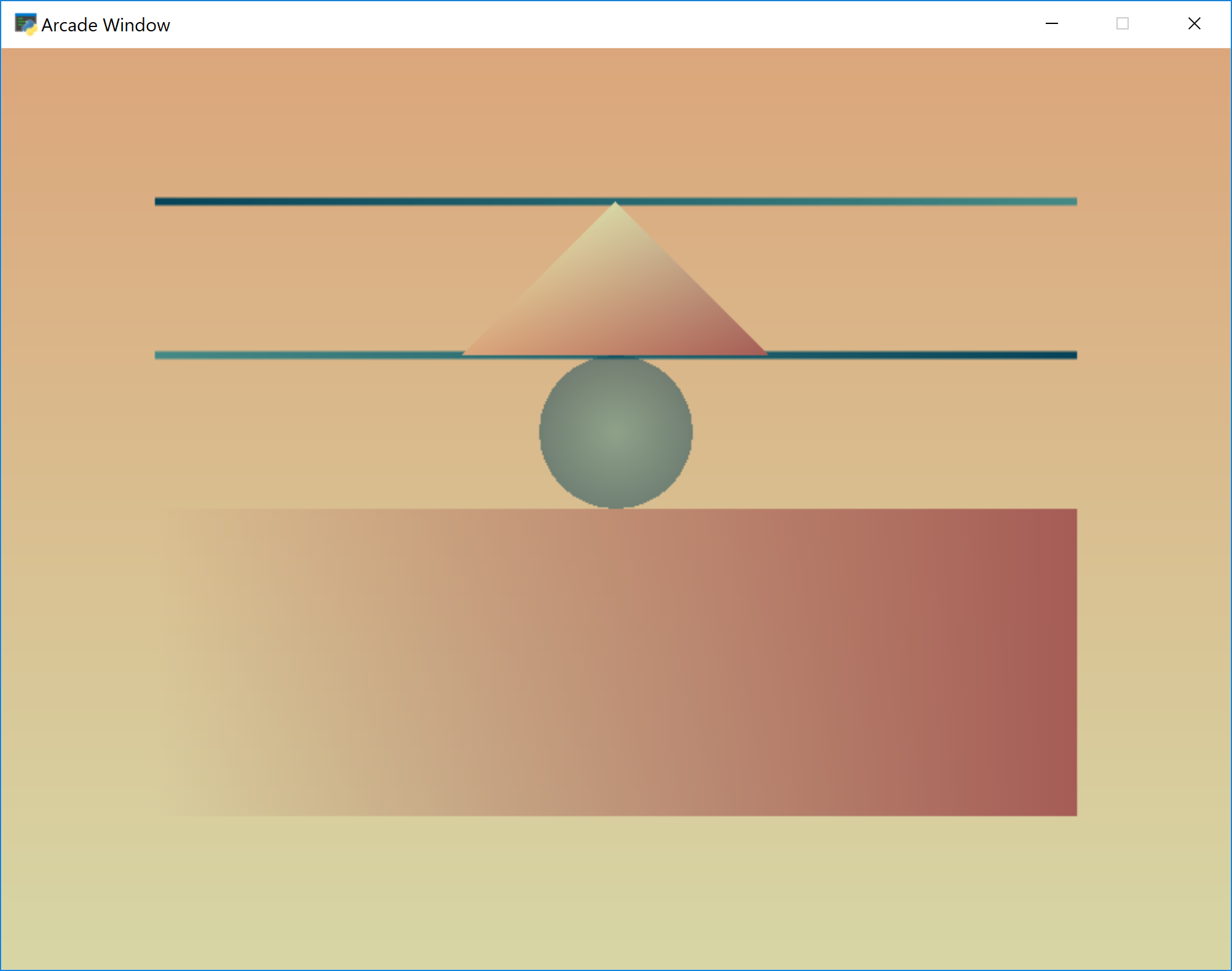
gradients.py
 1"""
 2Drawing Gradients
 3
 4If Python and Arcade are installed, this example can be run from the command line with:
 5python -m arcade.examples.gradients
 6"""
 7import arcade
 8
 9# Do the math to figure out our screen dimensions
10SCREEN_WIDTH = 800
11SCREEN_HEIGHT = 600
12SCREEN_TITLE = "Gradients Example"
13
14
15class MyGame(arcade.Window):
16    """
17    Main application class.
18    """
19
20    def __init__(self, width, height, title):
21        """
22        Set up the application.
23        """
24
25        super().__init__(width, height, title)
26
27        arcade.set_background_color(arcade.color.BLACK)
28
29        self.shapes = arcade.ShapeElementList()
30
31        # This is a large rectangle that fills the whole
32        # background. The gradient goes between the two colors
33        # top to bottom.
34        color1 = (215, 214, 165)
35        color2 = (219, 166, 123)
36        points = (0, 0), (SCREEN_WIDTH, 0), (SCREEN_WIDTH, SCREEN_HEIGHT), (0, SCREEN_HEIGHT)
37        colors = (color1, color1, color2, color2)
38        rect = arcade.create_rectangle_filled_with_colors(points, colors)
39        self.shapes.append(rect)
40
41        # Another rectangle, but in this case the color doesn't change. Just the
42        # transparency. This time it goes from left to right.
43        color1 = (165, 92, 85, 255)
44        color2 = (165, 92, 85, 0)
45        points = (100, 100), (SCREEN_WIDTH - 100, 100), (SCREEN_WIDTH - 100, 300), (100, 300)
46        colors = (color2, color1, color1, color2)
47        rect = arcade.create_rectangle_filled_with_colors(points, colors)
48        self.shapes.append(rect)
49
50        # Two lines
51        color1 = (7, 67, 88)
52        color2 = (69, 137, 133)
53        points = (100, 400), (SCREEN_WIDTH - 100, 400), (SCREEN_WIDTH - 100, 500), (100, 500)
54        colors = [color2, color1, color2, color1]
55        shape = arcade.create_lines_with_colors(points, colors, line_width=5)
56        self.shapes.append(shape)
57
58        # Triangle
59        color1 = (215, 214, 165)
60        color2 = (219, 166, 123)
61        color3 = (165, 92, 85)
62        points = (SCREEN_WIDTH // 2, 500), (SCREEN_WIDTH // 2 - 100, 400), (SCREEN_WIDTH // 2 + 100, 400)
63        colors = (color1, color2, color3)
64        shape = arcade.create_triangles_filled_with_colors(points, colors)
65        self.shapes.append(shape)
66
67        # Ellipse, gradient between center and outside
68        color1 = (69, 137, 133, 127)
69        color2 = (7, 67, 88, 127)
70        shape = arcade.create_ellipse_filled_with_colors(SCREEN_WIDTH // 2, 350, 50, 50,
71                                                         inside_color=color1, outside_color=color2)
72        self.shapes.append(shape)
73
74    def on_draw(self):
75        """
76        Render the screen.
77        """
78
79        # This command has to happen before we start drawing
80        arcade.start_render()
81        self.shapes.draw()
82        # arcade.draw_rectangle_filled(500, 500, 50, 50, (255, 0, 0, 127))
83
84
85def main():
86
87    MyGame(SCREEN_WIDTH, SCREEN_HEIGHT, SCREEN_TITLE)
88    arcade.run()
89
90
91if __name__ == "__main__":
92    main()